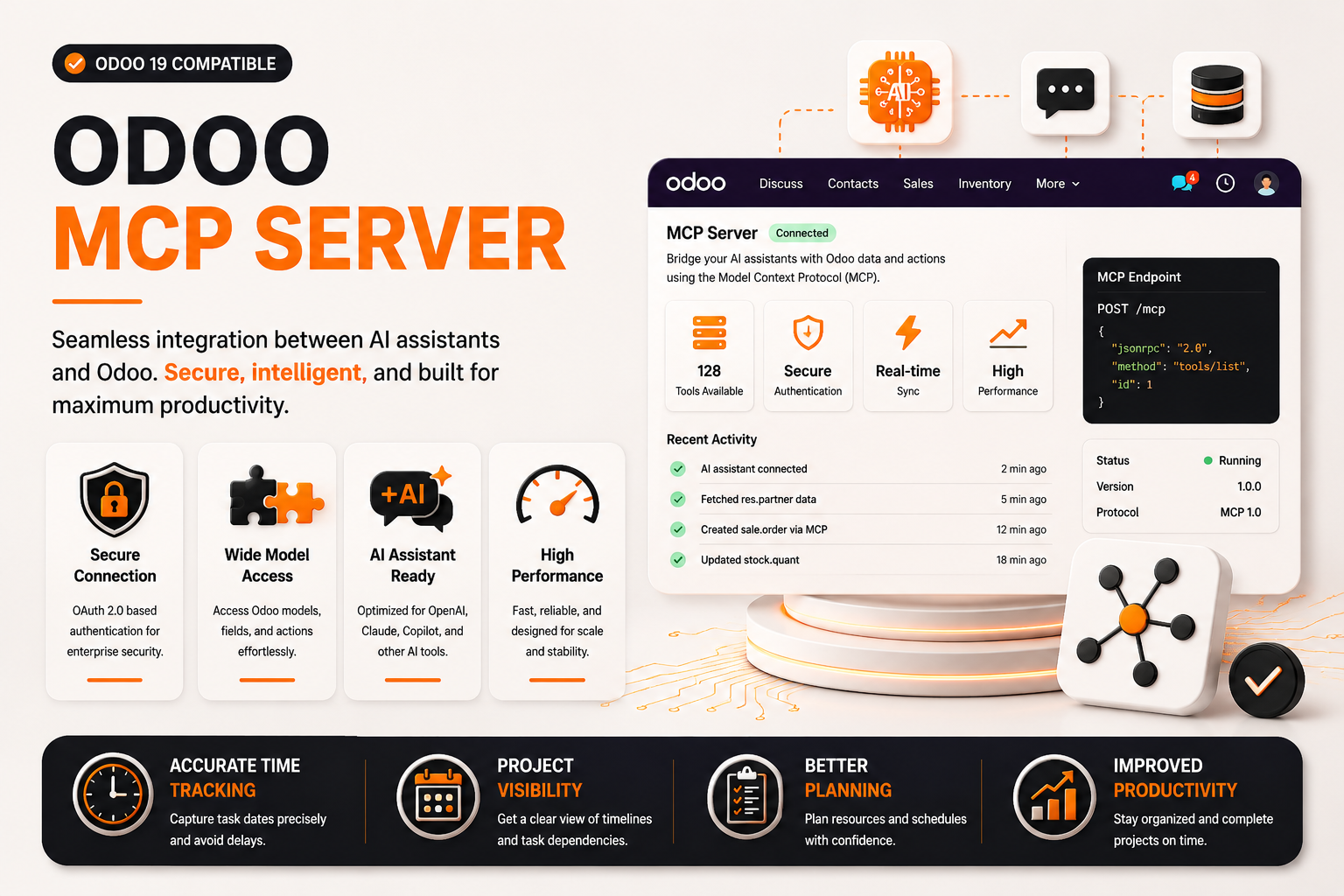
🤖 Odoo MCP Server
| Author | ERP Addons |
| Website | https://www.erp-addons.com |
| Version | 19.0.1.0.0 |
| License | OPL-1 |
| Odoo | 19.0 |
📖 Overview
Odoo MCP Server provides a direct way to connect Claude AI with Odoo using the Model Context Protocol (MCP).
The module allows Claude to connect directly to Odoo without requiring a separate bridge file, local proxy, or additional Python package installation.
Once configured, Claude can access selected Odoo models and perform operations according to the connected user's Odoo access rights. This makes it possible to search, read, create, update, delete, and count Odoo records directly through Claude.
The module provides a centralized configuration interface for enabling MCP, selecting allowed models, managing access, generating Claude client configuration, controlling request rates, and reviewing MCP request logs.
🚀 Key Features
🤖 Direct Claude AI Integration
Connect Claude directly to your Odoo instance through a native MCP HTTP endpoint.
📍 Menu Navigation
MCP Server → Setup
- Connect Claude directly to Odoo.
- No separate bridge file is required.
- No additional Python package installation is required.
- Use a direct MCP endpoint.
- Support Claude Desktop, Claude CLI, and Claude Browser integrations.
⚡ One-Click Claude Configuration
The setup wizard provides configuration downloads for supported Claude clients.
📍 Menu Navigation
MCP Server → Setup
Claude Desktop
Download:
claude_desktop_config.json
The generated configuration contains the Odoo MCP endpoint and authentication token.
Claude CLI
Download:
add-odoo-mcp.sh
The downloaded command can be executed to register Odoo as an MCP server with Claude CLI.
Claude Browser
Use the MCP Endpoint URL displayed in the setup wizard to connect Odoo with claude.ai.
🔗 Direct MCP Endpoint
The module provides a direct MCP endpoint:
/ea_mcp/mcp
Claude communicates with Odoo through this endpoint without requiring a local proxy or bridge service.
The endpoint supports MCP operations such as:
- Initialize
- Ping
- List tools
- List resources
- Call tools
🧰 Odoo Tools for Claude
Claude can use the MCP tools provided by the module to interact with configured Odoo models.
Available tools include:
List Models
odoo_list_models
Lists Odoo models available through MCP.
Model Fields
odoo_model_fields
Retrieves the fields and metadata of an allowed Odoo model.
Search Records
odoo_search
Searches records using an Odoo domain and returns the requested fields.
Read Records
odoo_read
Reads specific Odoo records using their record IDs.
Create Records
odoo_create
Creates a new record in an allowed Odoo model.
Update Records
odoo_write
Updates existing Odoo records.
Delete Records
odoo_delete
Deletes selected Odoo records.
Count Records
odoo_count
Counts records matching an Odoo domain.
📦 Allowed Model Configuration
Administrators can control which Odoo models Claude can access.
📍 Menu Navigation
Settings → MCP Server → Allowed Models
Models can be configured as a comma-separated or line-separated list.
Default Models
res.partner
sale.order
purchase.order
account.move
product.product
product.template
stock.picking
crm.lead
project.task
hr.employee
Only models that are available in the Odoo database can be used. Models that are not installed are skipped when the available model list is generated.
🔐 Authentication
The module supports authenticated MCP connections.
Bearer Token Authentication
A fresh MCP token is generated for the logged-in user when downloading the Claude configuration.
The generated configuration contains:
Authorization: Bearer <token>
Basic Authentication
The MCP endpoint also supports Odoo Basic authentication as a fallback.
Authentication is performed before Claude can execute Odoo tools.
👤 Native Odoo Security
MCP requests are executed using the authenticated Odoo user's environment.
This means Claude's operations are subject to the user's Odoo permissions and access rights.
The module also provides MCP-specific access control through the Odoo security groups.
👥 MCP Access Control
Administrators can control who can connect to the MCP Server.
Available access modes include:
- Disabled
- MCP Group Members Only
- All Internal Users
Specific users can be assigned MCP Server access from their user access rights.
📍 Menu Navigation
Settings → Users → [User] → Access Rights
⏱️ Rate Limiting
The module supports rate limiting for MCP requests.
Administrators can configure the allowed request rate from the MCP Server settings.
This helps control the number of requests processed by the MCP endpoint.
📝 MCP Request Logs
MCP requests are logged for monitoring and troubleshooting.
Logs can contain:
- User
- Tool name
- Odoo model
- Request status
- Request duration
- Error details
This provides administrators with visibility into MCP communication and tool execution.
⚙️ Installation
- Copy the ea_odoo_mcp_server module into your Odoo addons directory.
- Restart the Odoo server.
- Update the Apps List.
📍 Menu Navigation
Apps → Update Apps List
- Search for Odoo MCP Server.
- Click Install.
After installation, configure the MCP Server from:
MCP Server → Setup
📖 Usage
🛠️ Enable the MCP Server
📍 Menu Navigation
MCP Server → Setup
Steps
- Open the MCP Setup wizard.
- Check the MCP Server status.
- Click Enable MCP Server if it is disabled.
- Continue with the Claude client configuration.
🖥️ Configure Claude Desktop
From:
MCP Server → Setup
Click:
Download claude_desktop_config.json
Place the downloaded configuration file in the Claude configuration directory.
Linux / macOS
~/.config/claude/claude_desktop_config.json
Windows
%APPDATA%\Claude\claude_desktop_config.json
Restart Claude Desktop after placing the file.
The MCP/hammer icon should then appear in the Claude interface.
💻 Configure Claude CLI
From:
MCP Server → Setup
Click:
Download add-odoo-mcp.sh
Then run:
bash ~/Downloads/add-odoo-mcp.sh
This registers the Odoo MCP endpoint with Claude CLI using the generated authentication token.
🌐 Configure Claude Browser
From:
MCP Server → Setup
Copy the displayed MCP Endpoint URL.
In Claude:
Settings → Integrations → Add MCP Server
Then:
- Paste the MCP Endpoint URL.
- Select Bearer authentication.
- Enter the required API key/token.
- Save the integration.
🎯 Configure Allowed Models
Go to:
Settings → MCP Server → Allowed Models
Add the technical names of the Odoo models that Claude should be able to access.
For example:
res.partner
sale.order
account.move
product.product
Claude can only execute model operations for models included in the allowed list.
👤 Configure User Access
Go to:
Settings → MCP Server → MCP Server
Choose the required access mode:
Disabled
No users can access the MCP Server.
MCP Group Members Only
Only users assigned to the MCP Server group can connect.
All Internal Users
Any authenticated internal Odoo user can connect.
💬 Use Claude with Odoo
After configuring the MCP connection, ask Claude to interact with your Odoo data.
Examples:
List my Odoo contacts
Search sale orders
Find purchase orders
Search CRM leads
Count customers
The exact available operations depend on the allowed models and the connected user's Odoo permissions.
🔄 MCP Communication Flow
Claude AI
    │
    │ MCP Request
    ▼
/ea_mcp/mcp
    │
    ▼
Authentication
    │
    ▼
MCP Server
    │
    ├── Allowed Model Check
    ├── Odoo Access Rights
    ├── Rate Limiting
    └── Request Logging
    │
    ▼
Odoo Model
    │
    ▼
Business Data / Operation Result
    │
    ▼
Claude AI
🏗️ Architecture
ea_odoo_mcp_server
│
├── MCP HTTP Endpoint
│
├── Authentication
│   ├── Bearer Token
│   └── Basic Authentication
│
├── MCP Tools
│   ├── List Models
│   ├── Model Fields
│   ├── Search
│   ├── Read
│   ├── Create
│   ├── Write
│   ├── Delete
│   └── Count
│
├── Configuration
│   ├── MCP Enable/Disable
│   ├── Allowed Models
│   └── Rate Limit
│
├── Security
│   └── MCP User Access
│
├── Configuration Downloads
│   ├── Claude Desktop
│   └── Claude CLI
│
└── MCP Request Logs
🐛 Troubleshooting
| Problem | Solution |
|---|---|
| Hammer icon missing in Claude Desktop | Restart Claude Desktop after placing the generated configuration file. |
| 401 Unauthorized | Download a fresh Claude configuration to generate a new MCP token. |
| 503 MCP Disabled | Enable the MCP Server from MCP Server → Setup or the MCP Server settings. |
| Model not found | Add the model technical name under Settings → MCP Server → Allowed Models. |
| Model is skipped | Verify that the corresponding Odoo module/model is installed and available in the database. |
| Access denied | Verify the connected Odoo user's access rights and MCP Server group permissions. |
| Rate limit errors | Increase the configured MCP rate limit from the MCP Server settings. |
📌 Changelog
19.0.1.0.0 — Initial Release
- Direct Claude AI integration through MCP.
- Streamable HTTP MCP endpoint.
- Claude Desktop configuration download.
- Claude CLI command download.
- Claude Browser MCP endpoint support.
- Bearer token authentication.
- Basic authentication fallback.
- Allowed Odoo model configuration.
- Odoo native access rights support.
- MCP user access control.
- MCP request rate limiting.
- MCP request logging.
- Search, read, create, write, delete, and count tools.
- Model field information tool.
- Compatible with Odoo 19.
💬 Support
For questions, feature requests, or technical support, please visit:
🌐 https://www.erp-addons.com
Customer Reviews
No reviews yet. Be the first to review this product!
Need Help?
Have a question or need assistance with this product? Submit a support ticket and our team will get back to you.
Quick Help
Before Submitting
- Check the Documentation tab for common questions
- Ensure you have the latest version installed
- Review technical requirements
Response Time
We typically respond within 24-48 hours during business days.
Specifications
| Odoo Versions | 19.0 |
| Dependencies | base base_setup |